Bounce Rate measures how often users leave after viewing just one page without taking any further action. It helps you understand when an experience fails to engage or meet initial expectations.Use this metric to evaluate landing pages, entry points, or any content meant to drive further exploration. It’s especially helpful for assessing how well your headlines, page layout, and CTAs encourage interaction—or reveal where users are losing interest too soon.A high bounce rate often points to poor relevance, weak design hierarchy, or unmet user intent. It signals the need to align messaging, improve visual clarity, or surface stronger next steps.Interpreting the ResultsUse this key to understand what your Bounce Rate score means and how to interpret that for your product experience:How to Calculate Bounce RateThe Bounce Rate measures how often users land on a page but leave without interacting further. It’s a key signal for evaluating whether a page captures attention or causes visitors to leave immediately.Define what to trackTo measure Bounce Rate, set up tracking for pageviews and follow-up events (like link clicks, scrolls, or navigation to a second page). A “bounce” is counted when a user visits a page but doesn’t trigger any interaction that indicates further engagement. This tracking is typically implemented through web analytics tools like Google Analytics, Mixpanel, or custom eventCollect dataOnce tracking is active, capture how many users landed on the page and how many left without triggering any additional tracked events. For example, on a landing page, you may compare total pageviews against the number of users who clicked on a CTA or navigated elsewhere.Plug data into formulaThe Bounce Rate is calculated using the following formula:You’ll need two data points:Single-page sessions: users who visited the page but didn’t interact or navigate furtherTotal sessions: all visits to the page Divide bounces by total sessions to get your bounce rate as a percentage.Calculate the Bounce RateFor example, if 1,000 people visited a page and 280 left without interacting:This results in a Bounce Rate of 28%, which may be considered Good depending on page type and industry benchmarks. A lower bounce rate usually indicates the page is engaging visitors and encouraging further exploration.When To Use Bounce RateBounce rate is particularly useful for assessing user engagement, page relevance, and the initial effectiveness of content.For example, this case study focuses on ways to greatly reduce the bounce rate, which means more visitors are staying on the site. Lower bounce rates help users stay engaged and encourage them to explore more, making the website more effective.Case Study Link.Landing Page OptimizationBounce rate indicates how effectively a landing page attracts and retains user interest, highlighting whether the content is relevant and engaging.Content EvaluationTracking bounce rate on blog posts, articles, or product pages helps determine if the content resonates with users and encourages further exploration.Product Feature TestingMeasuring bounce rate on new feature pages helps determine if users are intrigued enough to explore the product further or if the feature falls short in drawing interest.How We Measured Bounce Rate for Banko’s Website Landing PageTo evaluate how well a key landing page was drawing users into deeper interactions, we measured the Bounce Rate on Banko’s “Grow Your Savings” landing experience. Bounce Rate is a strong signal of initial relevance—it tells us whether visitors are finding enough value to explore beyond the first page they land on.The SetupBounce Rate is calculated by identifying the percentage of users who land on a page and leave the site without taking any further action—such as clicking a link, navigating to another page, or engaging with interactive elements. A lower bounce rate indicates that more visitors are choosing to explore rather than exit immediately.The ResultsBanko’s landing page produced a Bounce Rate of 28%, rated Good on the Glare scaleMost visitors interacted with one of the three core CTAs on the page (e.g. “Schedule Appointment” or “Improve Your Credit”)Qualitative feedback from bounce sessions suggested the remaining 28% were either already existing customers who misclicked or users who were unsure which CTA matched their needsThe ImpactThe low bounce rate confirmed that the page was successful in drawing users further into the experience. These findings gave Banko the confidence to replicate the modular CTA block design across other product landing pages. Minor improvements, such as clearer labels or personalized content based on user segment, are now being explored to reduce the bounce rate even further.SourceCSVHow to Use AI to Measure Bounce RateThis AI prompt can be used to calculate the bounce rate of your platform. Once you've collected data on single page sessions versus total page sessions on your site, you can feed that data into an AI software using a CSV file along with the instructions below.Copy this AI prompt to calculate your own Bounce Rate, and check out the type of output it would produce:Technicals for Measuring Bounce RateOverviewWe’ve built out a UX Metric framework that we’re using in our Helio platform. Here, we’ve laid out what we’ve done, and how other developers can also start to use this. You can also become a Glare Code Contributor to help implement these in ourUX Metric framework.How to Use Bounce RateWith our framework, you can use the Glare::UxMetric::BounceRate module grab your site or application’s Bounce Rate.Here are the steps:First we have to require the module in order for us to use it.We need tograb our property idforGoogle analyticsfor starters and make sure our application has both GA4 and Google Tag Manager hooked up.We’ll insert our property id into our GoogleAnalytics::Credentials module so that we can create a credential instance.credential will now be used in our GoogleAnalytics::Client to generate a client instance.With this client instance, we can now use our bounce_rate method which will return a percentage point as a float.Take This Further with the UX Metrics AI SkillsBounce Rate tracks how often users land on a page and leave without doing anything. TheUX Metrics AI Skillsis a package you load into your LLM so you can ask questions and get expert answers anytime.Find out what is causing users to leave right awayKnow what a good or bad bounce rate looks like for your productCompare bounce rates across pages or traffic sourcesUse bounce data to improve first impressions and entry pointsDrop it into your LLM and start asking questions right away.
Bounce Rate
Related links
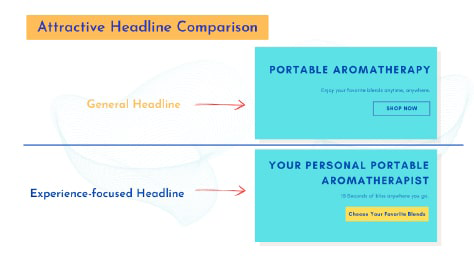
Rajat Chauhan walks through the anatomy of a high-converting landing page: headline, hero, value prop, CTA, social proof, and speed. Useful when a team is scoring its landing page and wants a clear checklist.
Tudor Baidoc shares ways to optimize landing-page UX, including F-pattern reading, fast loads, minimal navigation, and clean layouts. Useful when a marketer-designer pair wants research-backed UX rules for a landing page.

Max Stepanov's Dual Metrics Model pairs metrics so each guards against the other's failure mode, avoiding tunnel vision from a single number. Useful when teams over-optimize one metric (like bounce rate) at the cost of UX or brand.
Identify where decision quality breaks down
The Glare Design Assessment helps teams spot weak validation, stakeholder friction, alignment gaps, and assumptions that scale without measurable learning—so you have a clearer starting point for improvement.
About 5 minutes · Team-based · Diagnostic snapshot you can act on
Take the Design Assessment