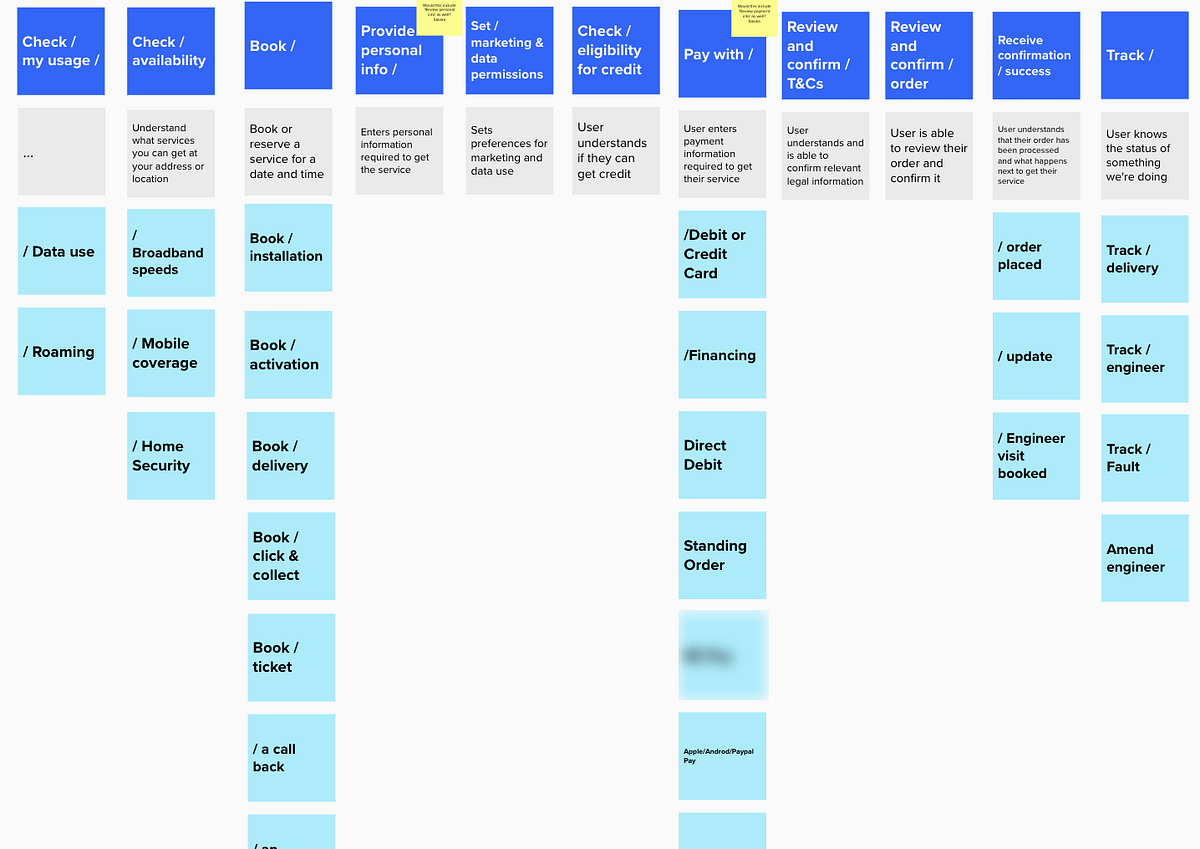
If parts of the product do not work together, users feel the seams.
Connection in UX means journeys link up, data stays in sync, and people can move between steps, devices, and teams without losing context. A connected experience reduces handoffs, closes loops, and turns separate features into one clear path to value.
This page shows how to evaluate connectedness, measure it with UX metrics, and strengthen continuity before gaps turn into rework.
How to Use This Page
Use the Connected Heuristics to assess how well information, actions, and people flow across the product.
-
Choose a journey that crosses pages, roles, or tools.
-
Review each heuristic with its supporting metrics and questions.
-
Watch for lost context, duplicate steps, and dead ends.
-
Capture signals with usability tests, analytics, and support logs.
-
Prioritize fixes that shorten handoffs and keep progress intact.
Where This Fits in Glare
Connected belongs in Define and Measure.
In Define, you map end to end paths and align data, identity, and navigation.
In Measure, you validate continuity with completion, time, effort, and satisfaction across steps and devices.
A connected experience lifts completion and trust because users feel guided, not shuffled.
Why Connected Experiences Matter
A connected experience can:
-
Reduce effort by carrying context across steps.
-
Increase completion by removing gaps and detours.
-
Improve satisfaction and trust through consistent data and deep links.
-
Strengthen retention because the product works as one system.
Connection is not cramming features together. It is building clear bridges between them.
Common UX Metrics for Connected Experiences
BehavioralCompletion Rate, Success Rate, Time on Task, Effort, Error Rate, Error Recovery Rate, Abandonment Rate, Retention or Return Rate, Comprehension, Support Contact Rate
AttitudinalSatisfaction, Trust, Sentiment, Desirability
Connected Heuristics
Connected Heuristics turn cohesion into practical rules. They help teams preserve context, surface relevant links, and guide users with precise entry points.
Together, they reveal where information breaks, where journeys stall, and where smart handoffs remove work. A connected product carries state, unifies identity, and uses clear deep links so people can start anywhere and still finish with confidence.
1. Continuity of Context
State and intent should carry across screens, devices, and sessions. Users should never reenter what the system already knows.
**Tips:
**• Preserve filters, selections, and draft inputs across steps.
• Resume at the last meaningful point after a break.
• Sync progress in real time across devices.
**Example:
**A buyer filters a catalog on desktop and later opens the mobile app to the same filtered view with items still selected.
**Metrics:
**• Completion Rate — Do more users finish multi step tasks when context persists
• Time on Task — How much time is saved by not repeating setup
• Effort — How many fields or steps are avoided due to carried state
2. Deep Links to the Exact Place
Every message, notification, and list item should open to the precise state needed to act. Avoid dumping users at generic pages.
**Tips:
**• Include parameters in links to restore filters and tab position.
• Highlight the target item or change on arrival.
• Handle expired or missing items with a safe, nearby fallback.
**Example:
**A “Review request” email opens directly to the pending item with the review panel in focus.
**Metrics:
**• Success Rate — Do users complete the intended action after a single click
• Time on Task — How quickly can users act after landing
• Abandonment Rate — Do dropoffs decrease when links land in context
3. Unified Identity and Single Source of Truth
Names, roles, and key data should match everywhere. Conflicting values break trust and block progress.
**Tips:
**• Show the authoritative source and last update.
• Keep definitions consistent across screens and exports.
• Flag stale data and explain how to refresh.
**Example:
**A customer’s status and credit limit match in profile, billing, and checkout, with one definition note.
**Metrics:
**• Trust — Do users believe the data is consistent across the product
• Comprehension — Do users understand what each value means and where it comes from
• Support Contact Rate — Do questions drop after aligning sources
4. Meaningful Cross Links
Surface the right related items at the right moment. Cross links should reduce search, not add noise.
**Tips:
**• Link to the next logical step, not every possible page.
• Use short, descriptive labels that explain the benefit.
• Limit related items to what helps the current goal.
**Example:
**On an order page, links show “Track shipment,” “Create return,” and “Reorder,” not a full site map.
**Metrics:
**• Success Rate — Do users reach the next step through provided links
• Time on Task — How much faster is the flow with direct links
• Satisfaction — Do users describe links as relevant and helpful
5. Smooth Handoffs Between Roles
When work moves from one role to another, the recipient should get the full context and a clear next step.
**Tips:
**• Pass notes, attachments, and decisions automatically.
• Show who owned the last step and who owns the next.
• Provide a single approve or request change path.
**Example:
**A designer hands a ticket to a reviewer. The reviewer sees changes, rationale, and a one click approve or request edits.
**Metrics:
**• Completion Rate — Do cross role tasks finish more often on the first pass
• Effort — How many back and forth messages are avoided
• Sentiment — Do teams describe handoffs as smooth and clear
6. Consistent Navigation and Back Paths
People should always know where they are and how to return without losing work.
**Tips:
**• Keep breadcrumb, history, and clear back behavior.
• Preserve state when returning to lists and dashboards.
• Indicate which tab or filter set is active.
**Example:
**After viewing an item and returning, the list keeps the same filters and scroll position with the last item highlighted.
**Metrics:
**• Error Rate — How often do users lose their place or duplicate steps
• Time on Task — How long to resume after going back
• Satisfaction — Do users describe navigation as predictable
7. Smart Notifications That Close Loops
Alerts should be timely, actionable, and minimal. Each should guide users to finish, not just inform.
**Tips:
**• Batch low priority alerts into summaries.
• Include the primary action in the message.
• Respect quiet hours and user preferences.
**Example:
**A weekly digest lists pending approvals with one tap deep links to each approval screen.
**Metrics:
**• Success Rate — Do users complete tasks starting from notifications
• Abandonment Rate — Do fewer alerts go ignored or dismissed
• Satisfaction — Do users rate notifications as helpful rather than noisy
8. Interoperability and Integrations
Make it easy to bring data in and take it out with context intact.
**Tips:
**• Support common formats and show simple field mapping.
• Preserve identifiers so records stay linked.
• Explain transformations in one line.
**Example:
**A CRM imports deals from a CSV, maps fields in one step, and preserves external IDs for future syncs.
**Metrics:
**• Completion Rate — Do users finish import or export on the first try
• Time on Task — How long do mapping and checks take
• Error Rate — How often do mismatches or duplicates occur
9. Relationship Labels and Tagging
Use clear labels and tags to connect related content so users can pivot without starting over.
**Tips:
**• Show relationship chips like “Related case,” “Parent account,” or “Depends on.”
• Let users filter by tags and jump to linked sets.
• Keep naming consistent across the product.
**Example:
**A case shows “Related: Contract #1042” with a link back to the contract’s history and owner.
**Metrics:
**• Comprehension — Do users understand relationships at a glance
• Time on Task — How quickly can users pivot between related items
• Desirability — Do users choose tagged pivots over manual search
10. Cross Device and Cross Channel Continuity
People switch devices and channels often. The journey should continue seamlessly wherever they pick it up.
**Tips:
**• Sync drafts, preferences, and history across signed in devices.
• Keep emails and push notifications consistent with in app wording.
• Use privacy safe previews outside the app and full detail inside.
**Example:
**A quote started on desktop appears on mobile with the same items and prices, and a link in the email opens to that exact quote.
**Metrics:
**• Success Rate — Do users complete tasks after switching devices
• Retention or Return Rate — Do users come back to continue rather than restart
• Trust — Do users feel confident the system keeps things in sync
Summary Insight
Connected design is continuity made visible. It carries context across steps and devices, uses deep links that land in the right place, and keeps data consistent from start to finish.
When handoffs include the full story, when navigation preserves state, and when notifications point to action, separate pieces feel like one system. Connected products save time, prevent rework, and build trust because users never feel lost. The path forward is always clear, and progress is never wasted.
What to Do Next
-
Pick one journey that spans at least three screens or two roles.
-
Measure Completion Rate, Time on Task, and Effort from start to finish.
-
Add one deep link, one context carry, and one cross role handoff improvement.
-
Retest the same metrics, then track Satisfaction and Abandonment Rate over the next cycle to confirm that connection improved.