Every design decision starts with people. But not all people experience the same situation the same way.Audience helps teams understand who those people are, where their user signals come from, and how much to trust what those user signals say. Without that clarity, customer behavior, stakeholder opinions, advertising data, and internal assumptions are all weighted equally — and the work drifts toward whoever speaks loudest.In Glare, Audience is one half of the UX Research foundation inside Define. Paired with Collecting, it answers two questions that shape everything downstream: who are we learning from, and is that the right source for this decision?SectionPurposeOverviewExplains the core ideas, purpose, and role of Audience inside the Glare frameworkTechniquesCovers how to read, evaluate, and work with audience data from different sourcesPlaybookProvides operational workflows, prompts, inputs, and outputs for audience workReferencesDeep-dive guides for each of the four audience types — and how Helio structures themExamplesRealistic situations showing how audience source changes what user signals meanDecisionsHelps teams know when audience clarity is strong enough to move to CollectingAgent OperationsDefines how AI Skills receive, evaluate, and route user signals by sourceAudience as the Research FoundationIn the Glare Assessment, Audience sits in the Research column of the Building Proof dimension. Research asks: are design signals credible and grounded in real user needs? Audience is where that credibility is established — or where it is quietly assumed away.When Audience work is strong, every downstream block inherits that credibility. Collecting knows who to study. Patterns reflect real behavior. Hunches in Measure are grounded in a defined group rather than a demographic guess. When Audience work is weak, the proof chain carries hidden uncertainty all the way to business decisions in Lead.A low Research score in the Glare Assessment is frequently an Audience problem — the wrong source type used for the decision, attributes defined by label rather than behavior, or multiple groups averaged into a finding that serves none of them.The Source ProblemMost teams think they know their audience. They have personas, customer segments, advertising targets, and research participant pools. The problem is that these come from very different places, and they don’t all mean the same thing for a design decision.A Facebook audience is built from interest targeting and demographic data. A Helio participant group is built from behavioral and motivational questions. A CRM segment is built from purchase history. An internal assumption is built from team experience and instinct.Each of these is a real source. None of them is interchangeable with the others.When teams mix these sources without naming them, user signals lose credibility. A finding that looks like strong customer proof might actually be a targeting segment that was never validated through behavior. A participant reaction that feels like solid evidence might come from adjacent users, not the core audience.Audience in Glare is built around one clarifying question:Where did this user signal come from, and what kind of decision is it actually qualified to support?The Four Source TypesAudience data in most organizations comes from four distinct sources. Each has a different level of design credibility and a different job in the decision map.SourceHow It’s BuiltWhat It’s Good ForDesign CredibilityHelio Audience GroupsPoll-based questions that assign people to groups by behavior and motivationValidation testing, predicting how real users will experience a designHighest — built from behavioral data, closest to real useAdvertising SegmentsDemographic and interest-based targeting (Facebook, Google, programmatic)Reach and conversion — who sees the product, not how they experience itLow for design — built for targeting, not for understandingCRM / Lifecycle SegmentsPurchase history, tenure, activation milestonesIdentifying which customer stage to prioritize or measureMedium — useful context, but transactional not experientialInternal AssumptionsTeam expertise, instinct, stakeholder beliefSetting hypotheses and framing tests before external data existsLowest — starting point only, must be validatedUnderstanding which source you’re working with is the first step in every Audience workflow. It tells you what questions to ask, what collecting methods are appropriate, and how much confidence to carry into Measure.How Helio Structures AudiencesIn Helio, audiences are not defined manually. They are built through poll questions that sort participants into groups based on how they actually behave and what they actually value.This matters because it removes the most common source of audience error: designing for a label instead of a behavior. A title like “Manager” tells you little. An attribute like “make budget decisions for a team of ten or more” tells you exactly how that person works and what they need from an interface.Helio’s poll-based approach produces audience groups that are testable, comparable, and grounded in real user signals — not demographic assumptions. Those groups become the foundation for everything Collecting does next.The Four Audience TypesGlare organizes audiences into four types, each with a different role in the user signal system and a different weight in design decisions.AudienceRoleUser Signal TypeWeightParticipantsEarly validation — predict how designs will perform before launchAttitudinal, behavioral, performanceHigh during testing cyclesCustomersProof — confirm how design performs in real use over timeBehavioral, lifecycle, performanceHighest — the ground truthStakeholdersAlignment — connect design signals to business priorities and directionStrategic, organizationalMedium to highProject TeamIntent — surface assumptions and frame what gets testedInternal, directionalLight but continuousThe sequence matters: Project Teams form intent, Stakeholders align on impact, Participants validate direction, Customers confirm outcomes.Internal voices guide. External voices validate. Skipping ahead in this sequence is where most audience errors begin.Audience and Collecting Work TogetherAudience and Collecting are the two halves of UX Research inside Define. They are designed to work in sequence, not in isolation.Audience answers: who are we learning from, and is that source credible for this kind of decision?Collecting answers: how do we get that user signal, and what method fits the audience we’ve defined?Without a clear audience, Collecting becomes unfocused — teams reach for surveys or usability tests without knowing whose behavior they’re actually measuring. Without Collecting, Audience stays theoretical — the right group is named but never actually heard from.Together, they feed Patterns. When audience is clearly defined and user signals are properly collected, recurring behaviors become visible. Those patterns are what carry into Measure with enough credibility to test against.Audience Shapes What Patterns MeanThe same user signal reads differently depending on who it came from. A drop in task completion from trial users points to an onboarding clarity problem. The same drop from habitual users points to a workflow regression. An advertising segment showing low engagement doesn’t tell you why, only a Helio participant study can surface that.This is why audience source is not just metadata. It is the interpretive frame that determines what a pattern actually means and what decision it supports.What Audience Doesn’t DoAudience does not replace research. It frames who research should involve and how much to trust what comes back.Audience does not define the user need. User Needs is a separate block in Define. Audience answers whose experience is shaping the situation. User Needs answers what those people are actually trying to accomplish.Audience does not tell you what to build. It tells you whether the user signals you’re working with are qualified to support a design decision, or whether you need to go back to Collecting for stronger evidence first.What Audience Supports Across the Decision MapAudience clarity in Define creates stronger user signal chains everywhere downstream.StageHow Audience Clarity HelpsMeasure → ConceptsKnowing your audience source tells you which concept tests are credible and which participant groups to recruitMeasure → HunchesClear audience framing separates a validated user signal from a stakeholder assumptionFocus → InitiativesAudience lifecycle data tells you which customer segment an initiative is actually servingLead → WorkflowsStakeholder user signals connect design evidence to the business workflows that drive approvalWhen audience is unclear, every downstream decision carries hidden uncertainty. When it is clear, the decision map compounds — each block builds on user signal quality that was established here.Moving Through the Audience SectionsEach section of Audience is designed for a different kind of work.Techniques covers how to evaluate audience data from different sources — how to recognize which source type you’re working with and what that means for user signal credibility.Playbook provides the operational workflows for running Audience work inside Glare — the inputs, outputs, and prompts that connect Audience to Collecting and Patterns.References contains deep-dive guides for each of the four audience types, including how Helio constructs each group and what attributes define them.Examples shows realistic situations where audience source changed what a user signal meant and what decision it supported.Decisions helps teams recognize when audience clarity is strong enough to move forward and what to do when it isn’t.Agent Operations defines how AI Skills identify audience source, evaluate user signal credibility, and route to the right next step.AI PromptThis prompt helps you define exactly who your design signals should come from and how much weight each voice should carry.Start with a project and a rough sense of who you're designing for. It guides you to:Name the four voices involved and assign signal weight to eachChoose 3–5 attributes that turn a vague group into a testable oneSeparate internal voices that guide from external voices that validateAvoid the most common traps including designing for everyone and over-segmentingYou'll end with an audience profile your team can reference throughout the project to keep signals grounded.Use this at the start of any project before running tests or collecting feedback.AI SkillsThe Audience skill file teaches your AI the complete four-voice model and audience-build sequence so it can guide you through any audience definition question with the full framework behind it.Load it when you need to go deeper on lifecycle segmentation, balancing participant signals against customer behavior, or building a testable audience from scratch. It gives your AI:The four-audience model with per-audience signal weights and rolesThe five attribute types with examples for eachThe eight customer lifecycle segments with per-segment metric guidanceThe six-step define flow for building an external audienceDownload the skill file below to use the full Audience framework with your AI assistant.
Audience
Related links
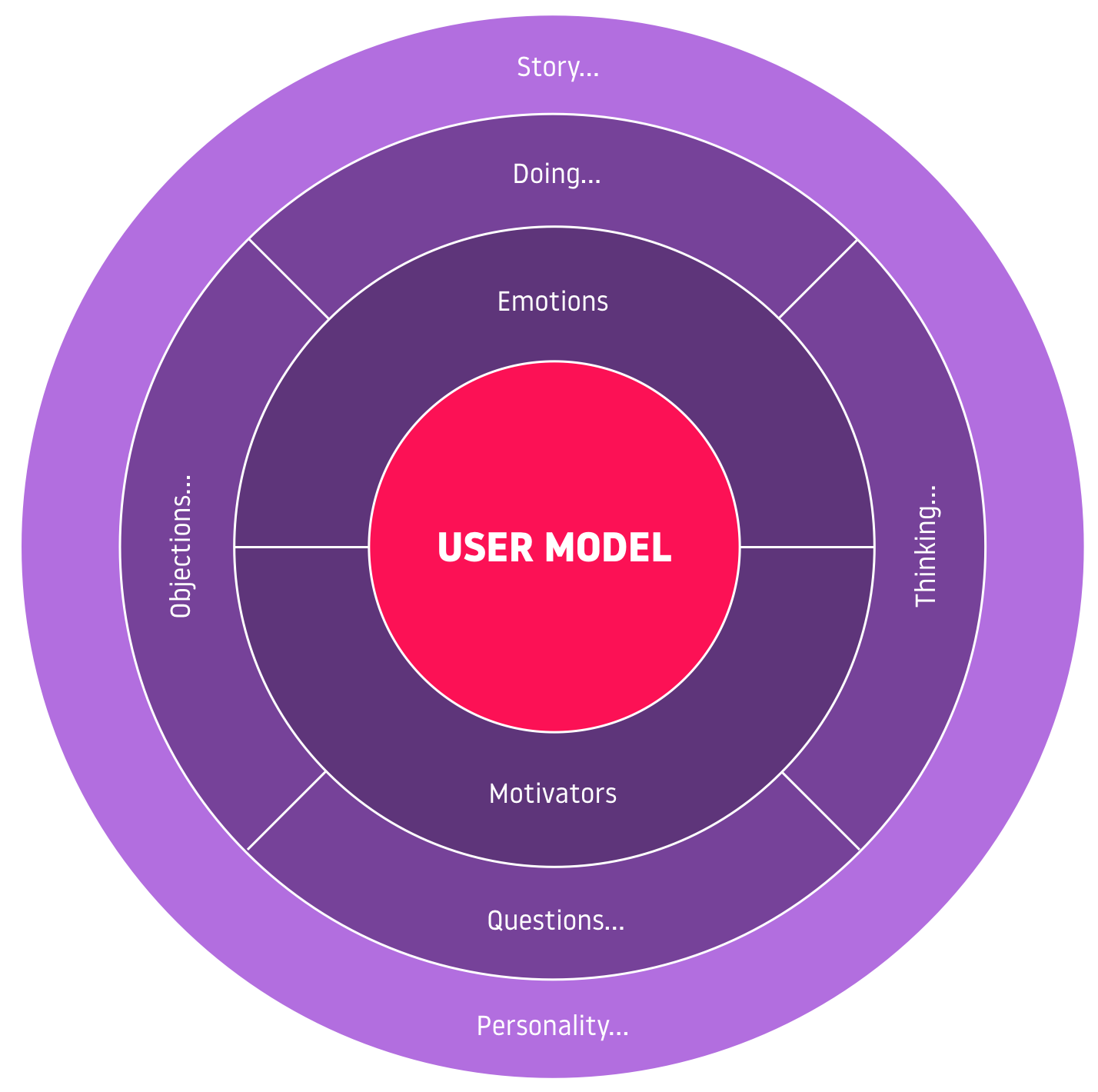
Argues personas are too thin to drive design decisions and proposes User Models built around pain points and journeys instead. Useful when persona docs feel useless and you want a richer way to describe target users.
Reminds designers that great design starts with knowing who it is for and why, and shares how to build that habit early. Useful when starting a project and you want a checklist for defining the audience before sketching screens.
Proposes that teams should build personas for AI agents — capturing capabilities, limits, and behaviors — alongside human personas. Useful when designing systems where AI agents act on behalf of users and you need a shared way to describe each agent.
Identify where decision quality breaks down
The Glare Design Assessment helps teams spot weak validation, stakeholder friction, alignment gaps, and assumptions that scale without measurable learning—so you have a clearer starting point for improvement.
About 5 minutes · Team-based · Diagnostic snapshot you can act on
Take the Design Assessment